Creating a Google Business Profile is one thing; writing a clear description for it is another. Many business owners know their company inside out but find it difficult to summarize their services, strengths, and customer value in a short paragraph. A GBP Description Generator Tool can make this task easier by using business information to create a structured first draft that can be reviewed and personalized before publishing.
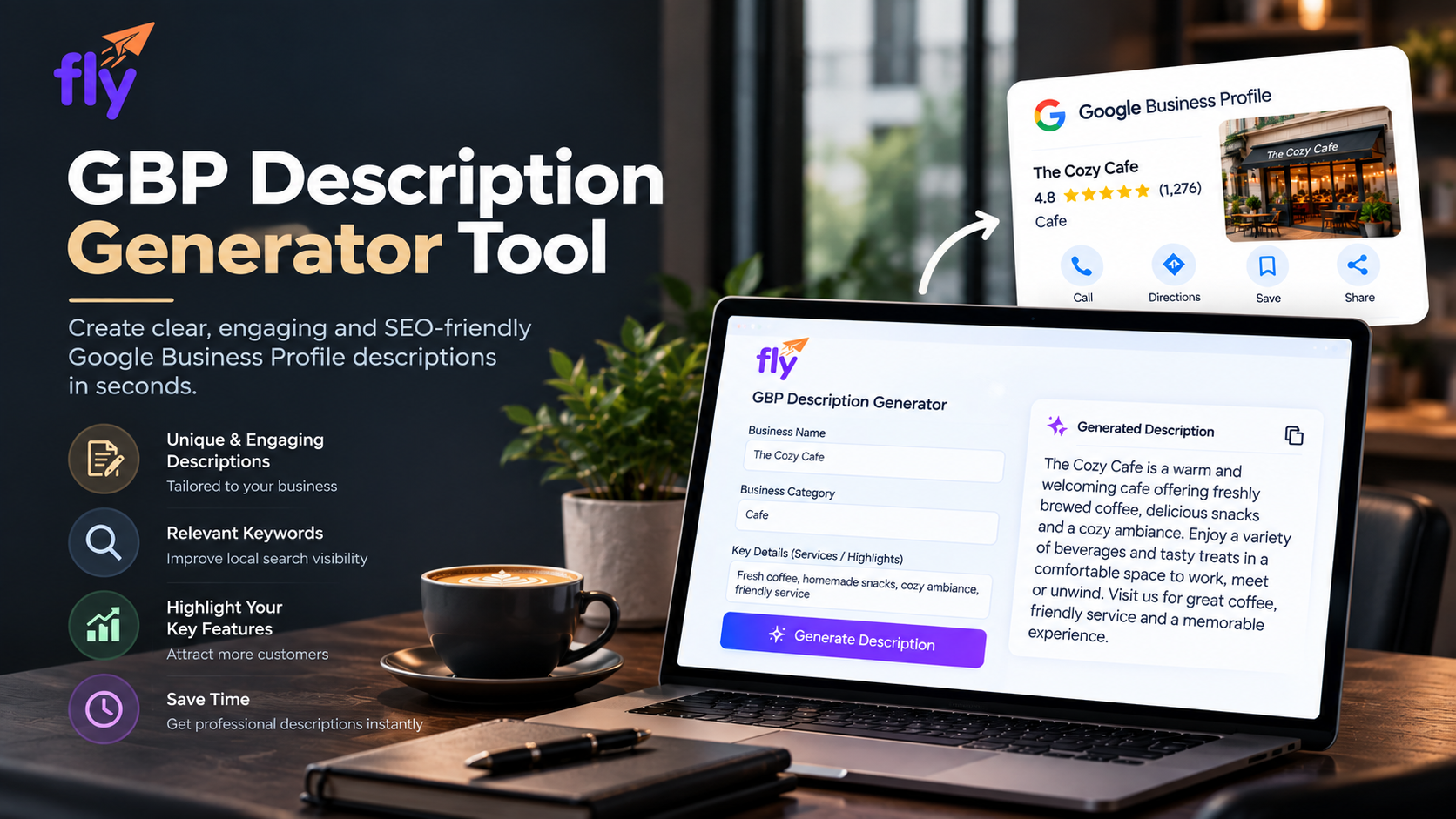
For busy business owners, the benefit is simple. You do not have to spend unnecessary time deciding how to begin or trying to fit a long company introduction into Google's limited description space. The tool handles the initial writing, while you remain responsible for making sure the final description is accurate and genuinely represents your business.
What Is a GBP Description Generator Tool?
A GBP Description Generator is an AI-powered writing tool created specifically for Google Business Profile descriptions.
You provide relevant information about your business, such as its name, business type, main services, and genuine strengths. The tool uses those details to prepare a description suitable for a business profile.
Unlike a general company introduction, a GBP description needs to be concise. Google allows a maximum of 750 characters, so there is limited room to explain everything about a business.
A purpose-built generator helps organize the most important information without requiring the business owner to write a long paragraph and repeatedly shorten it.
Why Is Your Business Description Important?
People viewing a Google Business Profile may already be comparing several businesses.
They want to understand quickly what each company offers.
A clear description can provide useful context about the business and its main products or services. It can also explain characteristics that may matter to potential customers.
Imagine a fictional business called EverBloom Garden Studio.
A description that simply says, “We provide excellent gardening services with quality customer care,” does not tell a potential customer very much.
A clearer description could explain that EverBloom Garden Studio provides garden maintenance, plant care, garden setup, and seasonal gardening services.
Specific information makes it easier for people to decide whether the business offers what they need.
Why Might Business Owners Struggle With GBP Descriptions?
One of the biggest challenges is deciding what deserves space.
A business owner may want to talk about every service, years of experience, customer care, company history, products, and other details.
Trying to include everything can create a crowded description.
Some owners go in the opposite direction and write something so general that it could describe almost any company.
Another challenge is writing style.
A business owner may understand the service perfectly but not feel confident writing marketing content. Others may spend too much time rewriting a few sentences because they are unsure whether the description sounds professional.
A GBP Description Generator reduces this initial writing pressure by providing something useful to edit.
What Information Should You Prepare?
Before using an AI description tool, think about the information a new customer genuinely needs.
Start with what your business actually does.
For EverBloom Garden Studio, this would mean identifying the main gardening services rather than creating a long list of marketing keywords.
Next, consider any genuine characteristic that helps explain the business. Perhaps it provides personalized garden care plans or specializes in maintaining residential gardens. If those details are true and useful, they can provide better context.
The key is accuracy.
AI works better when it has meaningful information. If you provide only a business name and a broad category, the generated description is more likely to sound generic.
How Does a GBP Description Generator Save Time?
The first draft is often the hardest part of writing.
Business owners can spend considerable time thinking about the opening sentence, rearranging services, removing repeated words, and shortening the final paragraph.
A generator reduces much of this work.
It gives the business owner an initial description based on the supplied information. Instead of creating everything from zero, the owner can concentrate on improving what is already there.
This difference becomes even more noticeable when someone manages several business profiles.
For marketing teams and agencies, generating an initial draft can reduce repetitive writing while still allowing every final description to be customized for the individual business.
What Should You Check Before Publishing?
A generated description should always be reviewed.
First, check the basic facts.
Make sure the business name is correct and that every product or service mentioned is genuinely available.
Next, look for unsupported claims.
AI may occasionally introduce wording such as “award-winning,” “industry-leading,” or “trusted for decades” even when those details were never supplied.
If a claim cannot be confirmed, remove it.
Also pay attention to tone. The description should sound like the business rather than a generic advertisement.
Finally, read the description as a customer. Ask whether someone unfamiliar with the company could understand what it does after reading the paragraph.
That simple check can reveal unnecessary wording surprisingly quickly.
Avoid Generic AI Language
AI-generated business content sometimes relies on phrases that sound professional but communicate very little.
Statements such as “committed to excellence” or “dedicated to exceptional customer satisfaction” could apply to almost any company.
Real business information is usually more valuable.
For EverBloom Garden Studio, explaining its garden maintenance, plant care, and seasonal gardening services gives customers something concrete to understand.
When reviewing generated content, look for sentences that could easily appear on a completely different company's profile.
Replace them with details that actually describe your business.
Don't Fill the Description With Keywords
Business owners often hear that keywords are important for SEO and assume they should repeat them throughout the GBP description.
This can make the content difficult to read.
For example, repeating “garden services,” “gardening services,” “professional gardening,” and similar phrases in several sentences adds little value.
Relevant services can be mentioned naturally because they explain what the business offers.
There is no need to turn the description into a keyword list.
The person reading the profile should remain the priority.
Understand Google's Description Requirements
Google Business Profile descriptions have specific requirements that business owners should consider.
The maximum length is 750 characters.
Google says the description can include information about what the business offers, what makes it distinctive, its history, and other useful details.
However, the description should not contain URLs or HTML. Google also advises against focusing the content on promotions, prices, offers, or sales.
An AI generator can make working within the available space easier, but it does not remove the business owner's responsibility to check the final content.
Will a Better Description Improve Google Rankings?
Business owners should be careful about treating the description as a ranking shortcut.
A clear description is useful because it helps customers understand the business. Adding more keywords to it does not guarantee a higher Google Maps position.
Google explains that local results are mainly based on relevance, distance, and prominence.
The business profile description should therefore be treated as useful customer-facing information rather than a place to repeatedly add search terms.
A strong local presence requires attention to the wider profile and other parts of the business's online presence.
A Description Tool Is Only One Part of GBP Management
Once a description has been completed, other areas of the business profile may still need attention.
Business information needs to remain accurate. Reviews need to be understood and managed appropriately. Businesses may also want to examine their local visibility, website SEO, content, and broader online presence.
The GBP Description Generator is available alongside other local SEO and marketing tools that can help with different tasks, including Google Business Profile auditing, local rank checking, review analysis, and website SEO analysis.
This is useful because no single tool can solve every local SEO challenge.
The description generator should be used for what it does best: making the process of creating business descriptions easier.
How Can Marketing Agencies Use the Tool?
A GBP Description Generator can also be useful for agencies managing profiles for clients.
Writing descriptions manually for many businesses can become time-consuming. AI can create an initial draft based on each client's information, leaving the agency to concentrate on fact-checking, personalization, and final editing.
The important point is to keep each description individual.
Two businesses in the same industry should not receive identical or nearly identical descriptions simply because they offer similar services.
Supported Fly tools can also be embedded on websites. This allows agencies to offer useful interactive tools to website visitors and potentially connect those interactions with their lead-generation efforts.
Common Mistakes Business Owners Should Avoid
The biggest mistake is publishing generated content without reading it.
AI can save time, but it can also misunderstand information or introduce unsupported details.
Another common problem is trying to sound too promotional. A useful GBP description does not need exaggerated claims about being the “best” or “number one.”
Businesses should also avoid copying competitors. Their services may appear similar, but their actual business characteristics can be different.
Finally, do not try to include every possible service or keyword. A focused description is usually easier for customers to understand than one overloaded with information.
Frequently Asked Questions
What does a GBP Description Generator do?
It uses information about a business to create a draft description suitable for a Google Business Profile.
How long can my Google Business Profile description be?
Google allows a maximum of 750 characters in the business description field.
Can I publish the generated description immediately?
You should review it first. Check the services, factual claims, wording, and overall accuracy before publishing.
Is a GBP description generator useful for small businesses?
Yes. It can be particularly helpful for owners who do not regularly write marketing content or want to reduce the time required to create a first draft.
Should I add lots of keywords to my description?
No. Mention relevant products and services naturally and prioritize clear information for customers rather than unnecessary keyword repetition.
Does a GBP Description Generator guarantee better rankings?
No. A generated description does not guarantee higher Google Search or Maps rankings.
Keep Your Business Description Simple and Useful
Business owners do not need complicated language to create a good Google Business Profile description.
They need accurate information presented clearly.
A GBP Description Generator helps by taking genuine business details and creating a manageable first draft. That can save time, reduce writing difficulties, and make the 750-character limit easier to handle.
The final responsibility still belongs to the business owner. Check every fact, remove generic AI phrases, keep important services clear, and make sure the description reflects the real company.
Used in this way, a GBP Description Generator is a practical tool rather than an automatic content solution. It makes the writing easier while allowing the business owner to keep control over what customers ultimately see.
Comments